
From front-desk queues to AI-assisted check-ins
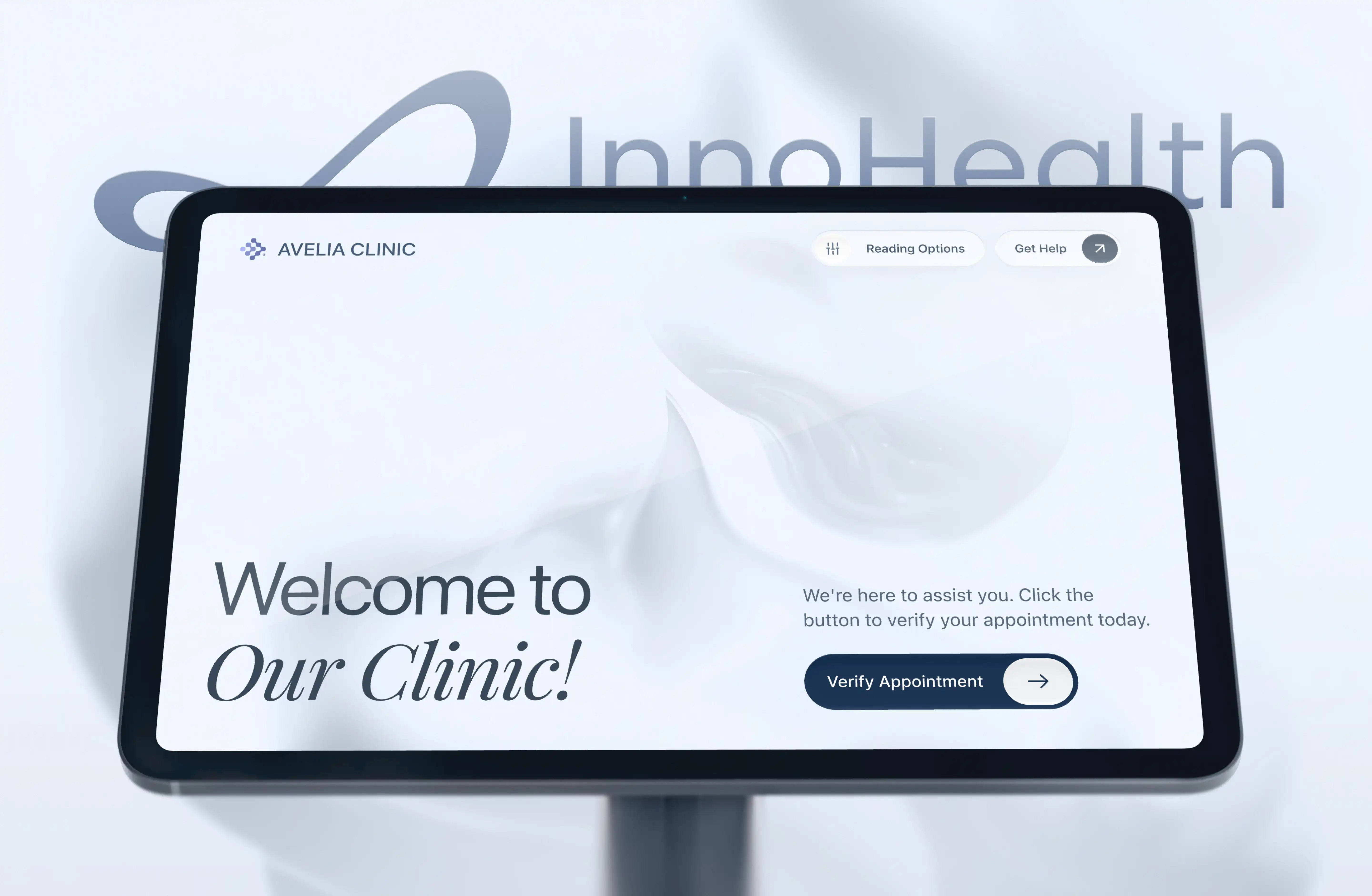
Designing a self-service kiosk concept for U.S. clinics
InnoHealth is a U.S. healthtech startup building a self-service kiosk that uses AI to handle patient check-in, insurance verification, and co-pay collection.
Front-desk roles are among the hardest to keep filled in U.S. medical practices: MGMA reports front-office staff turnover of 40%, and median pay for medical receptionists has grown 22% over the past five years. InnoHealth aims to ease that pressure by automating routine admin, so front-desk staff can focus on work that needs a human and patients get registered faster.
Patients can check in by talking to an AI assistant or by typing on the touchscreen, and can switch between the two at any point. The flow covers identity and insurance verification, appointment confirmation, and co-pay payment, with a path to staff help when needed.
Our team designed the end-to-end UX/UI and an interactive prototype, which the founders used to present the concept to investors.
.webp)
From concept to investor-ready prototype
- End-to-end UX/UI for the kiosk check-in experience
- An interactive prototype covering the full patient journey
- Two interaction modes: voice conversation with an AI avatar, and manual touchscreen input
- Core flows: patient identification, appointment confirmation, insurance card scanning and data review, co-pay payment
.webp)
.webp)
Making AI simplify check-in without taking control from patients
The core question was how AI can simplify a complex, high-stakes process without taking control away from the patient.
- Unpredictable AI behavior. Unlike a scripted interface, a conversational assistant can mishear speech, mistranscribe a name, or respond in unexpected ways. Each of these failures needed a clear way out.
- A wide range of users. Kiosk users include older adults, people with low vision, and patients with little digital experience. Standard web and mobile patterns aren't enough for them.
- A high cost of errors. Wrong patient details or a failed card scan can derail a visit. Every critical step needed a way to review, correct, switch input method, or call staff.
- Physical constraints. A landscape kiosk touchscreen calls for large touch targets, highly readable text, and simple navigation.
- Sensitive health data. The kiosk handles protected health information in a shared physical space, so the experience had to be designed with HIPAA privacy requirements in mind.
.webp)
Designed for the moment the AI gets it wrong
- Patients choose how to interact. The first screen offers voice or typing, and a "Switch to manual typing" option stays visible throughout. Voice isn't always comfortable or practical, so patients can move to the keyboard at any moment.
- Push-to-talk instead of always listening. Patients tap "Record answer" when they're ready to speak. This makes it obvious when the system is listening and cuts down on accidental input in a noisy environment.
- Inline correction. Every transcribed answer comes with a "Click to correct" option. If the AI mishears a name, the patient fixes it on the spot without restarting.
- Conversation and interface work together. We designed the experience around a third-party AI avatar, including conversation flows for unclear speech, misheard answers, and unexpected responses. The avatar explains what's happening while on-screen prompts show the next action, and information appears one step at a time instead of all at once.
- Review before confirming. Extracted insurance details and appointment data are shown for review, with an explicit "No, it's not correct" option next to "Confirm".
- No dead ends. “I don’t have my card with me” and “Appointment not found” lead to staff assistance instead of an error screen, and patients can pay the co-pay now or after the visit.
- Accessibility. The design uses large touch targets and highly readable type, and an “Enhance readability” option is available from the start of the flow.
- Safe sessions. Error recovery is designed to happen at the current step, so patients don’t have to start over. An inactivity timeout returns the kiosk to the start screen, so the next patient never sees someone else’s health information.
- Privacy in a shared space. Saying personal details out loud in a clinic raises obvious privacy concerns, so we addressed this with the client early on. The kiosks were planned for quieter spots away from the main waiting area, and patients can switch to manual typing at any moment if they’d rather not speak.
“A human-like avatar doesn’t create trust on its own. Patients trust the system when they can see what it understood, fix it in one tap, and reach a person if they need one.” — Daria Ebadian, Design Lead at Linkup ST
.webp)
.webp)
.webp)
Designed for the moment the AI gets it wrong
The prototype turned the founders' idea into a complete, testable patient journey, from the first "hello" to co-pay payment, that they could put in front of investors. It defined how the AI assistant should behave when things go wrong, how patients stay in control, and how staff step in when needed, giving InnoHealth a design foundation for further product development.
.webp)
.avif)
.webp)
.webp)