How to Validate an AI MVP Before Full Build: 5 Risks to Test First

.webp)
Getting an AI demo to wow a room is the easy part. Then real people show up. They type half a sentence, leave out the one detail that mattered, and get back an answer that sounds sure of itself and happens to be wrong.
This guide covers how to validate an AI MVP before your team signs off on full AI MVP development. It's based on our own design practice and on a webinar by Dariia Ebadian, Lead UI/UX Designer, and Sophiya Korynets, Lead Product Designer, both at Linkup ST. Dariia works on products from early concept validation through launch. Sophiya worked on the design of an AI-driven marketing platform that was later acquired. The cases below come from that work, including two shipped products. The question throughout: can people get the task done with AI? That's not the same as asking whether AI can do it.
Watch the full webinar: How to De-risk & Validate AI Product Before Full Buildout (66 min)
Why a Great AI Demo Isn't a Great AI Product
A strong model does not guarantee a strong product. Capable models get pointed at problems nobody had. Others run without the context they need, sometimes because users won't share it. Some are right most of the time, and users still can't tell the wrong answers apart. So how do you validate an AI product before building it?
.webp)
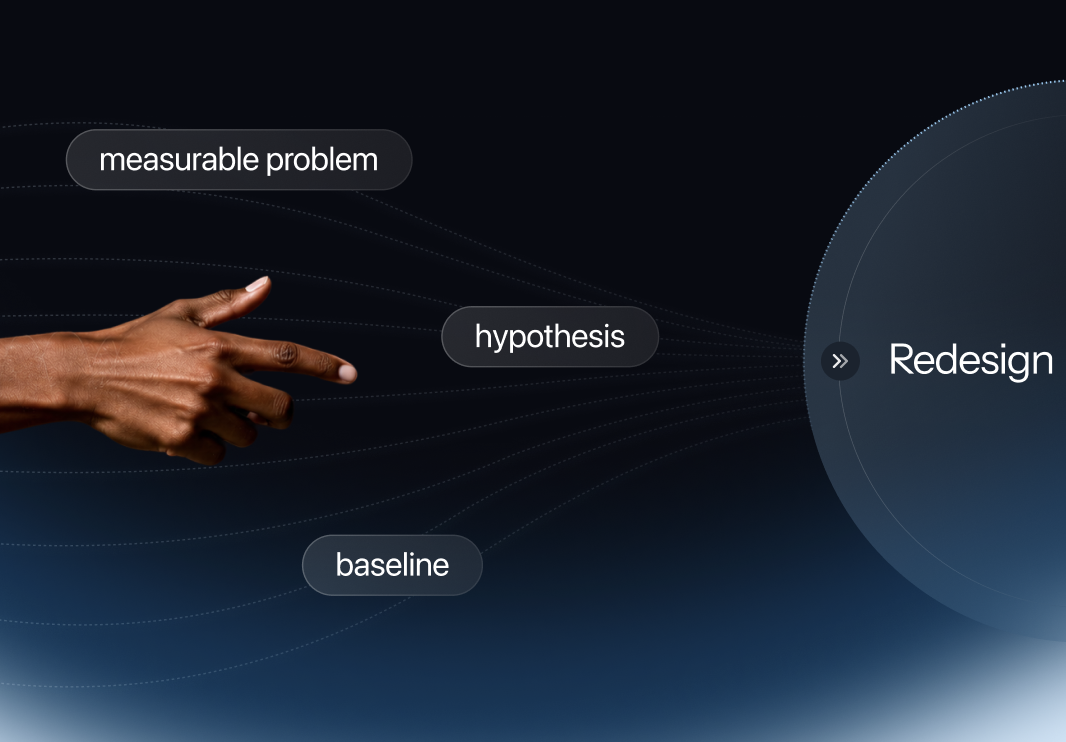
AI product validation gets easier once you split it into five risks:
- Value: whether AI solves a real problem better than the way people handle it now
- Capability: whether it does the job reliably, and not just once
- Context: whether the system gets the information it needs when it needs it
- Recovery: whether users can spot a wrong output and fix it
- Readiness: whether the AI workflow measurably beats the existing one
Test each one separately. A pass on one tells you nothing about the rest.
Risk 1 — Value: Should You Build This AI MVP at All?
Value validation asks two blunt questions. Is the problem real, and does AI make it noticeably easier to solve?
We put this step first, and our reason is competition more than technology. Plugging a model into a product got cheap. Your users have already met a dozen AI helpers that do roughly the same thing, so we hold AI features to a higher bar than normal ones, something like ten times the value. That can come from scale, from personalization, or from doing what used to be impossible. Fall short and you've shipped one more sparkle icon nobody clicks.
"With AI, the entry point is very low," says Dariia, Lead UI/UX Designer at Linkup ST. "You need to offer even more value than with regular products, something like 10x, whether it's scale or personalization."
Does AI Beat the Simpler Alternative?
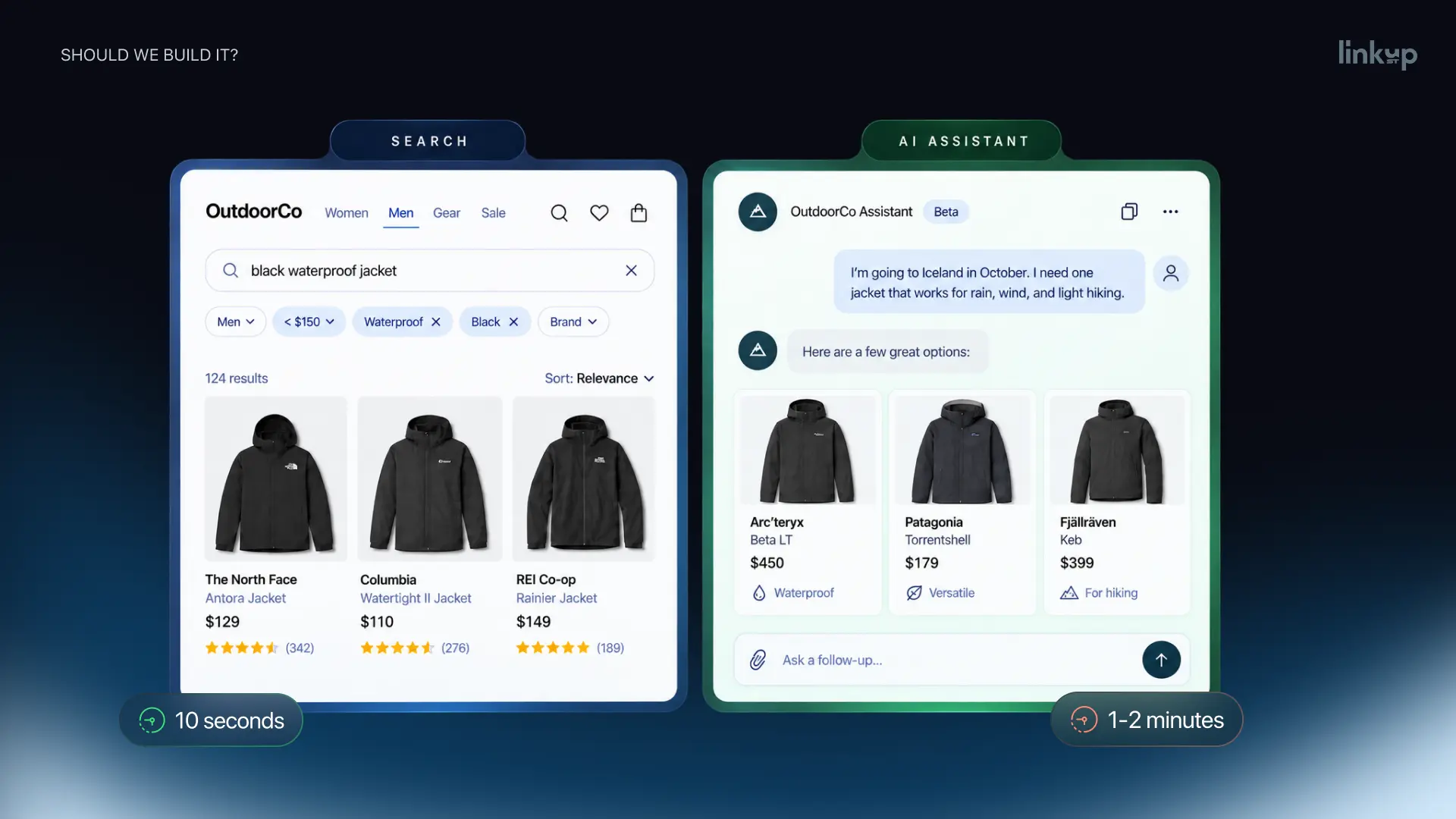
AI doesn't automatically improve a workflow. Take a shopper hunting for a black waterproof jacket under $200. With filters, that's maybe ten seconds of clicking. Through an AI assistant? A minute or two, and you land on the very same page.
Flip it around. "I'm going to Iceland in October and need a jacket." This shopper can't filter, because they don't know what to filter by. Waterproof? Insulated? How warm? An assistant can work that out with them, compare options and say why one beats another. Same catalog. Only the second use case gets anything out of AI.
A fast idea validation check: say out loud what the AI does better. Real AI use cases nearly always create, transform, analyze or assist. Can't name which? Then you probably don't need AI for this one.
"Don't start with 'we have AI, where can we add it?'" Dariia says. "Start with the user problem, then ask whether AI is actually the better way to solve it."
Test Demand for an AI Feature With a Fake Door
A fake door test is an entry point to a feature that doesn't exist yet, placed in the product to measure whether people try to use it. Say a client of ours runs a customer support tool and is toying with AI-drafted replies. We'd add a "Draft with AI" button right in the ticket view. Whoever clicks it sees a short note that it's coming soon, and an invite to join the beta.
In a survey, people happily say they'd use AI drafts. That's how they imagine themselves, not how they behave. A click on a busy afternoon is better evidence. What to count: clicks, activation intent, sign-ups, and how many people say yes to sharing the data the feature would eat.
AI-first product? Same trick, bigger door: a landing page with a waitlist. Traffic costs more than one button, but far less than building for nobody. A landing page also answers a question the button can't. People can need something and still not be ready to pay for it, and a waitlist with pricing on the page shows you which of those two you're looking at. These two fake door test examples let you check demand for one feature or for an entire product.
Fake the AI First With a Wizard of Oz Prototype
Wizard of Oz prototyping hands users a feature that seems to work, while someone behind the curtain makes every output by hand. We reach for it once the fake door shows real interest. In the support example, a small group of agents would get a button that appears fully working, and a colleague would write every suggested reply.
Do they use the drafts? How much gets rewritten? Do replies go out faster? And a week on, are they still clicking?
The fake door tells you about demand, Wizard of Oz testing about the experience. Neither needs model code. If an AI feature doesn't create value when a human makes the output good, a better model won't fix it.
Risk 2 — Capability: Can AI Do the Job Reliably?
Capability validation is about consistency across messy real inputs. One lucky answer proves very little. Demos show the best response anyone found, usually the one picked for investors. A shipped product meets people who phrase things their own way, and that multiplies fast: five or ten test users will hand you fifty different inputs, because each of them is in a different situation.
"We're testing reliability, not possibility," says Sophiya Korynets, Lead Product Designer at Linkup ST. "Real users won't work with your demo. They'll bring whatever they have in mind, and you can't predict it."
Build an Eval Set for Your AI MVP
An eval set is a fixed collection of representative inputs, each scored against criteria defined in advance. For a product team without ML specialists, it's the most practical way into AI evaluation.
We usually start with twenty to fifty cases. That sounds like a lot until you sit down to write them, and then it goes quickly. The set should hold the ordinary requests, but also the half-finished ones, the rambling ones, the vague ones, and a few edge cases that nobody wants to think about. Each answer gets graded. Correct? Relevant? Complete? Right tone? Safe? We keep it in a plain spreadsheet, and after a round or two it's usually clear whether to tune the model or change the UX.
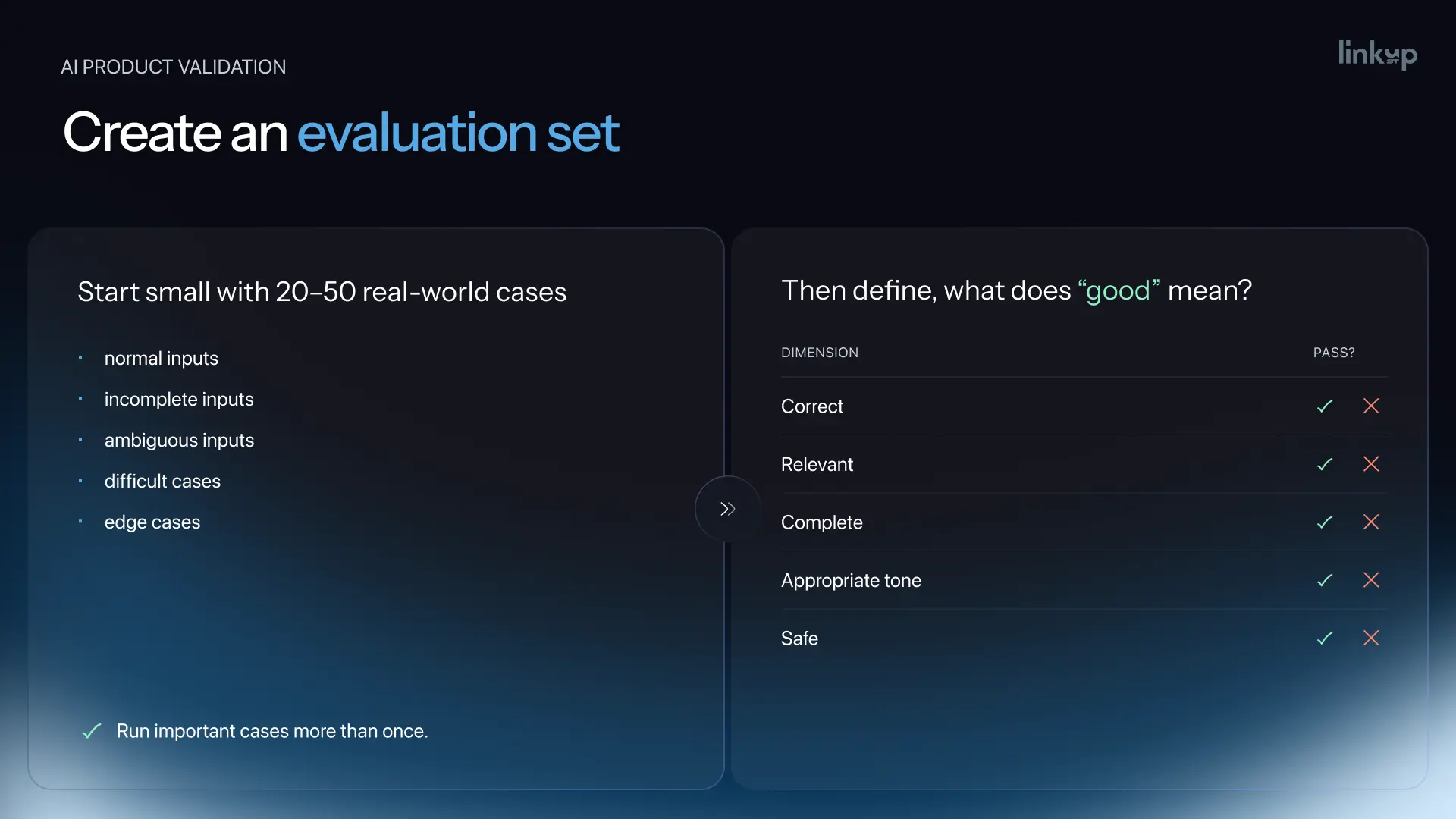
Important cases get run more than once. AI is probabilistic, so ten runs can bring ten different answers, and one good result tells you nothing about consistency. Teams new to LLM evaluation often run the set once and shelve it. We'd rather keep it alive and add cases after every round of AI prototyping. That's how AI evaluation turns an AI proof of concept into proof, and it's why we treat AI evals as design work.
Case: Designing an AI Marketing Platform Alongside the Model
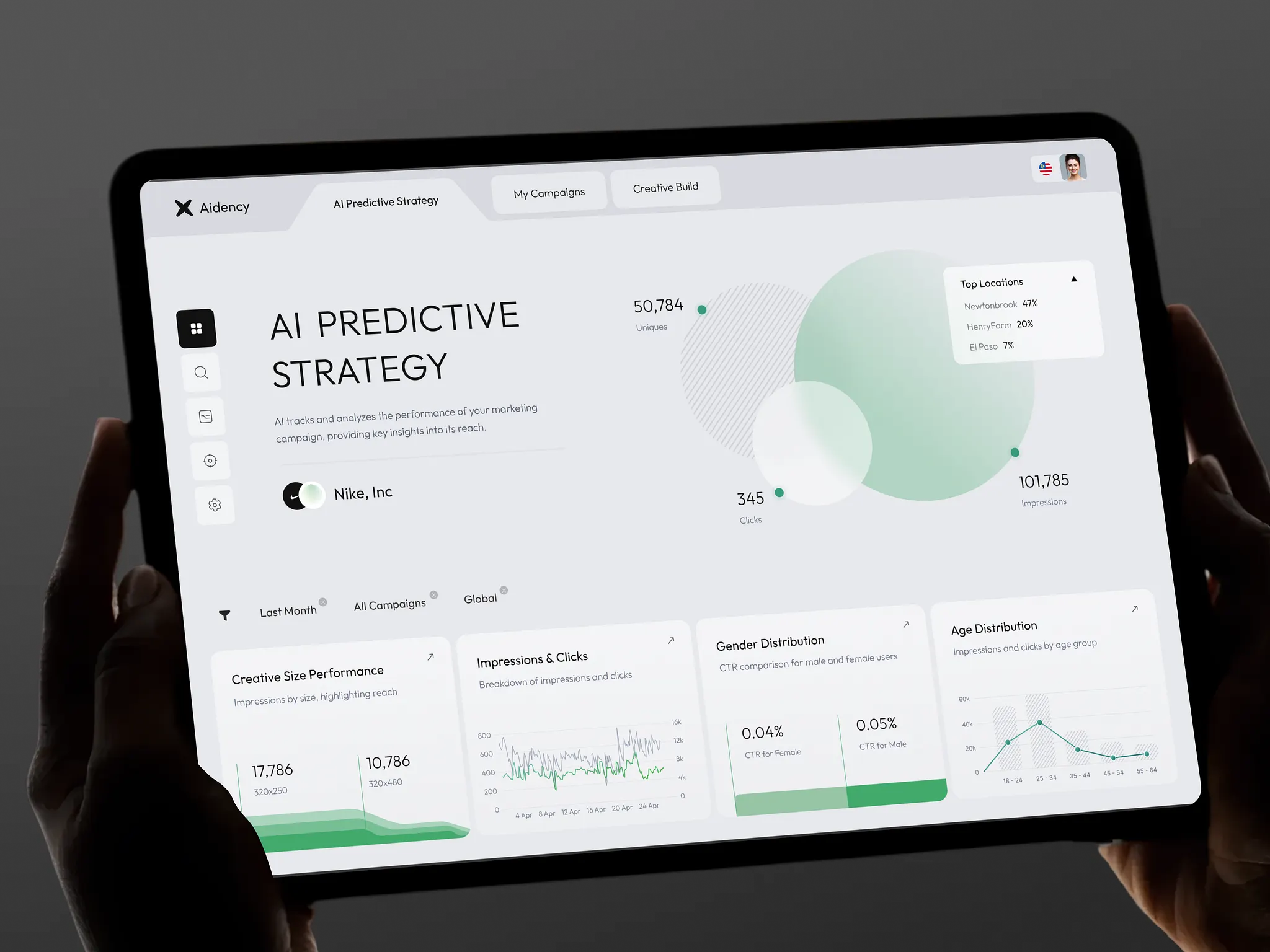
Element X is an AI-driven strategic marketing platform for US teams, and we handled its end-to-end UI/UX design. The problem it targets is familiar to anyone who has run paid ads: building a campaign meant jumping between platforms, translating data and assembling strategy by hand, a process that took marketers 3–5 days before an ad went live. The idea was simple. Paste your website link, the platform picks up your brand colors and fonts, and you get an audience, copy and ad visuals.
When we started, the model wasn't finished. So our designers sat next to the ML engineer, and rough concepts got checked against whatever the model actually produced that week. This was also early in the generative AI wave. Putting clean text on top of an image was genuinely hard for models back then, and users had no mental model for this kind of tool. We had an ideal flow in our heads and knew it wouldn't survive contact with reality.
It didn't. Outputs were messier than the mockups, and inputs had gaps. What about a company launching a product that has no website yet? Or a marketer still testing a brand-new campaign idea? We ended up designing for several states, plus clearer ways to show what the system was doing and how much control the user had.
Research shaped the rest. We ran 23 in-depth interviews with digital marketers and growth strategists and audited how teams actually use Meta Ads, Google Ads and Canva. The clearest finding: people didn't resist AI. They resisted opacity. When the product showed its reasoning and let them adjust, engagement went up. That's why Element X uses a guided conversational flow instead of long forms, reveals context step by step, and keeps every output visible and editable.
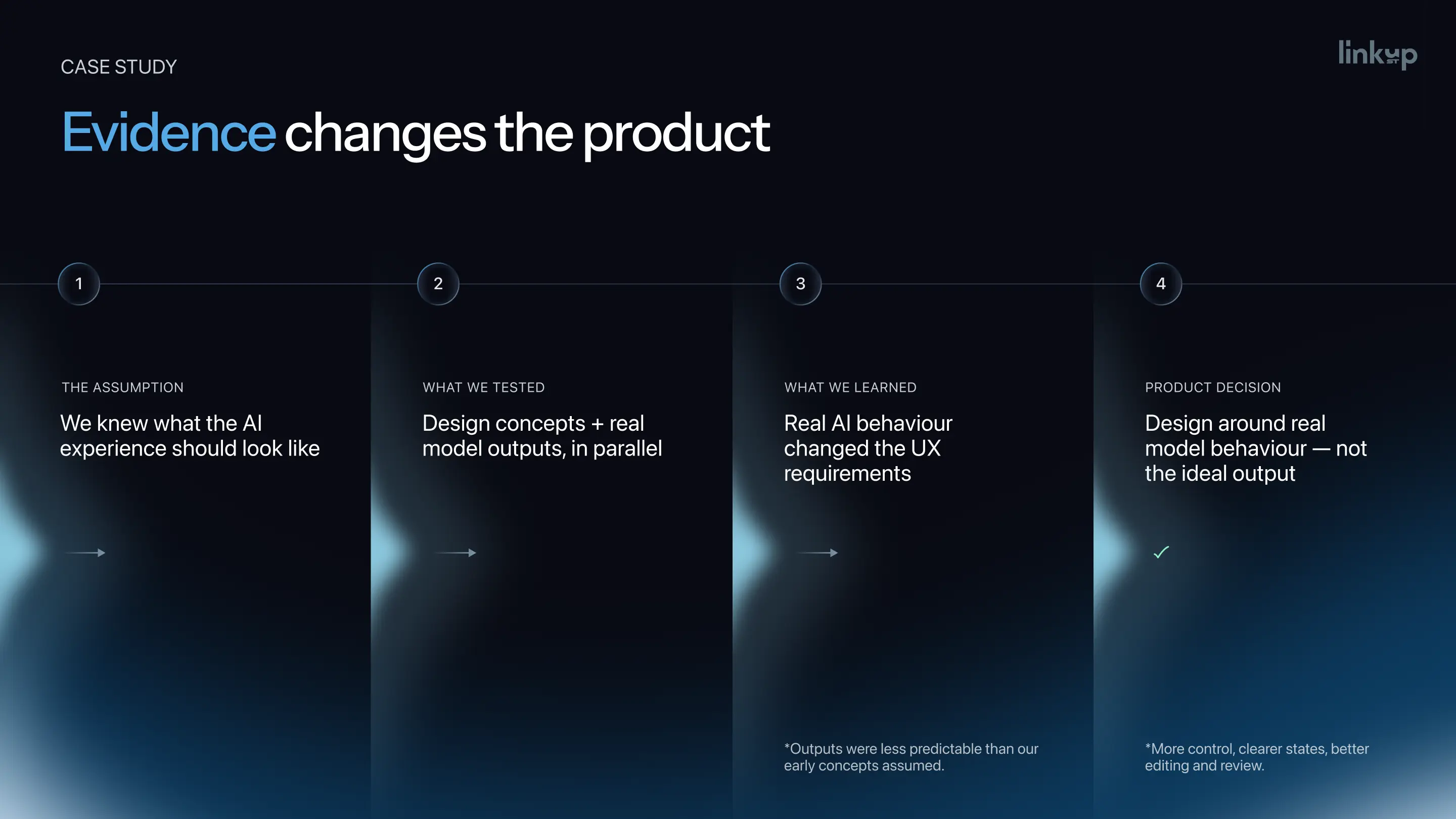
Then user testing threw us another curveball. Marketers didn't want to approve whatever the AI produced. They wanted to reshape it: their own colors, a different font, a different campaign hypothesis. We rebuilt the creative builder around live caption generation, brand controls, image selection and flexible formats. Internally we summed up the shift as "less generator, more collaborator."
The closed beta ran for six weeks with 140 marketers from SMB and mid-market teams. Task success rate reached 93%, and going from prompt to a launched campaign took 31 minutes instead of days. Only 18% of AI outputs needed manual edits, and 49% of users came back to build another campaign within seven days. The product went on to win a Red Dot Design Award in 2025 and was later acquired, which had been its goal from the start.
"AI design cannot happen in isolation from the model and development," says Sophiya Korynets. "What the model can reliably do directly shapes your UX." That's now how we run every AI product design project. Design around the range of outputs the AI actually produces, not the output you hope for.
Risk 3 — Context: Does AI Have What It Needs?
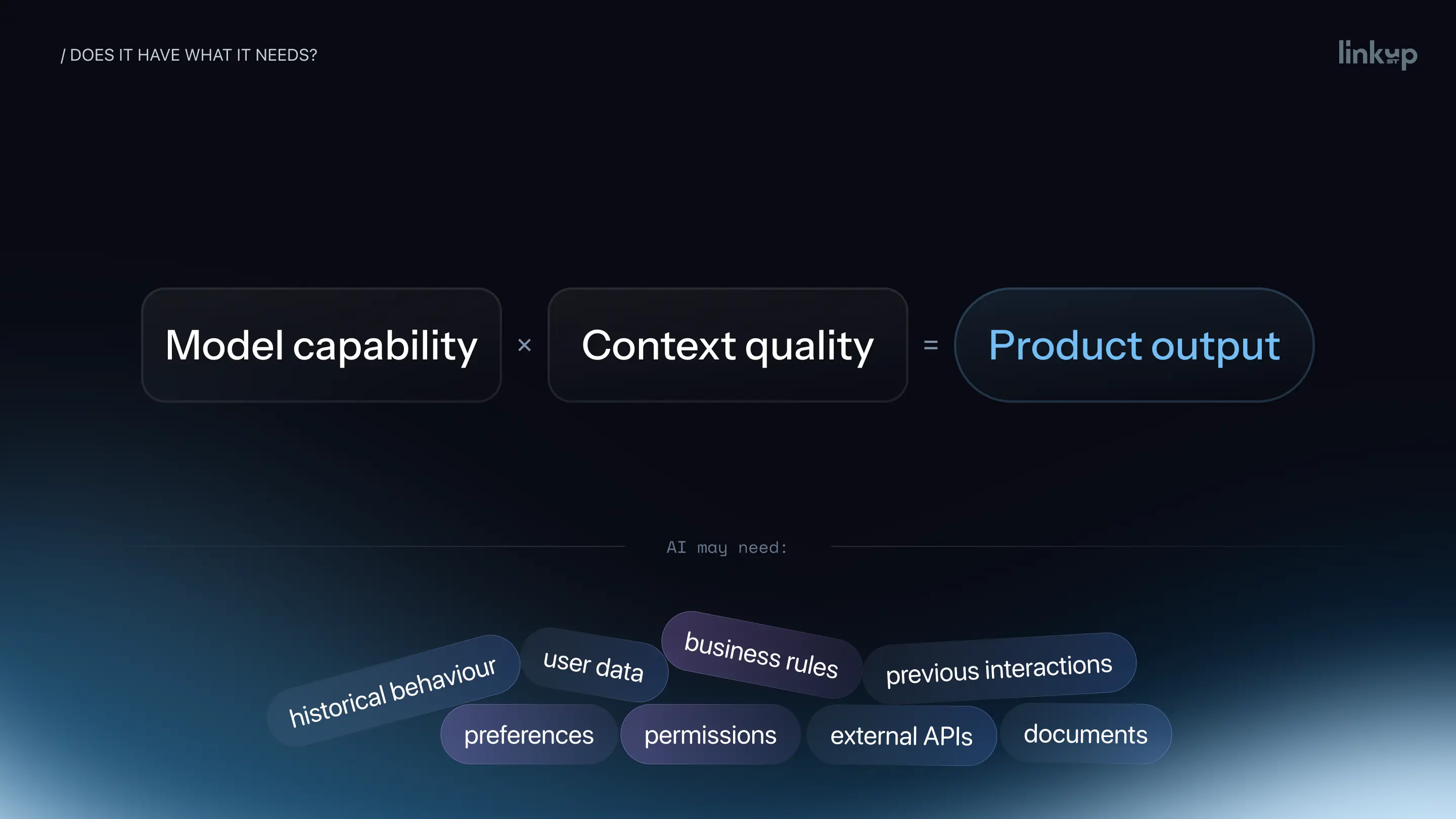
Context validation checks whether the system has the information it needs at the moment it needs it. A lot of complaints that start with "the model is bad" end somewhere else. Same model, same prompt template; one user filled in their profile and one didn't. You'd swear those were two different products.
So before anyone on the team blames the model, we write down what it leans on. For one product that's user data and preferences. For another it's past behavior, permissions, business rules, a pile of documents, an external API. Then ask two plain questions. Do we have it? Can we reach it at the right moment? When the only source is the user typing it in, you've landed in UX territory, because now you have to collect it without making people feel like they're training your product.
The Cold Start Problem in AI Products
The cold start problem in AI products is that the system knows the least about a user exactly when it most needs to convince them. Loyal users get the tailored version. Somebody five minutes into their trial gets the bland one, at the exact moment they're deciding whether to stick around. Is that an edge case? Hardly. It's where every customer starts.
There's a flywheel hiding in here too: more users, more data, better output, more value, and round again. In some products, people who join later get better results partly because of everyone who came before them. Nice for month twelve. Useless for the first person who installs the app.
"A new user is not an edge case," Dariia says. "It's part of our product, and maybe the most important part, because it's the entry point."
Designing Onboarding That Gets Easier Over Time
We saw this up close on AQOIR, a smart bottle with a companion app. One finger on the sensor reads hydration, heart rate, oxygen, blood pressure and breathing rate. The catch: on first use, the system can't tell what's normal for you. It needs your weight, activity and water intake logged over time before a reading means anything. The old app skipped that problem and showed raw numbers like "Hydration – 3", with no hint whether 3 was good or bad for you.
So we front-loaded the work, then spread it out. Calibration runs over three days, and each step is framed as unlocking a more personal insight, while new users still reach the core experience on day one. Readings turned into plain guidance: instead of "Level 2", the app says your hydration is low and you should drink. As the baseline fills in, the product asks for less and gets more specific. It even learns patterns, like hydration dipping on Friday afternoons, and nudges ahead of them. After the redesign, session completion rose by 30% and logging water got twice as fast.
.webp)
Anyone with a fitness watch has watched the same thing happen on their wrist. Out of the box it runs on a generic baseline, and after one short night it may insist you need eight hours and forty minutes of sleep to recover. A few weeks later it knows you. Seven hours? Fine, off you go. The hardware didn't change. Its knowledge of you did.
We aim for that curve in any AI onboarding: the product should nag less the longer someone sticks with it. In practice we sketch every key screen three times, for almost no data, for some, and for plenty, and agree on what the AI is allowed to say in each. Most teams only ever draw the last one. Missing context should be a designed product state, not an unexpected failure.
Risk 4 — Recovery: What Happens When AI Gets It Wrong?
Recovery validation tests whether users can notice, understand and fix a wrong AI output with reasonable effort. Your AI will get things wrong at some point, guaranteed. What happens in the minute after is a design decision.
Four Moments That Break AI UX
This is the part where AI quietly breaks habits people built on ordinary interfaces. With a normal form, there's a label above the field, you type your first name, and you know what the button will do. With AI, even the input stops being obvious. Patterns are forming, but the mental model is young, and older users in particular haven't built one yet. The friction tends to land in four moments:
.webp)
First comes entry, when the user wonders what to ask and how much to say. Then waiting: what's it doing, and how long will this take? Evaluation follows, the moment someone decides whether to trust the answer. And finally recovery, when it's wrong and they need a way to fix it.
For entry, we look past the text box. When a product is brand new and knows nothing yet, the whole screen can feel empty, so we design that empty state on purpose, with a few sample requests and a hint about how much detail helps. Waiting is plain old visibility of system status, the first of Nielsen's ten usability heuristics. A spinner with no explanation reads as a crash to most people.
Evaluation and recovery are where we see most products break. A model that's wrong rarely sounds wrong, and users can't push back on something that looks this confident. Show the sources. Say out loud what the answer assumes. That's what AI transparency actually means to the people using the product.
Test Your AI Prototype With a Deliberate Error
Deliberate-error prototype testing means showing users a realistic AI output with one planted mistake and watching whether they catch it. It flips the usual approach. You stop waiting for the model to fail in the wild and arrange the failure yourself, in a prototype, where it's cheap.
Keep the planted mistake small, like a wrong number, an outdated source or an image that doesn't match. And don't tell participants it's there, or ask them to look for one. People who know they're hunting for an error read every line, and nobody uses a real product that way.
Otherwise it's ordinary prototype usability testing. Run it as moderated usability testing with a think aloud protocol; hearing someone say "looks right" tells you a lot. Unlike most AI user testing, nobody is grading the model here.
After each session, answer four questions:
- Did they notice the mistake?
- Did they understand what was wrong?
- Could they correct it without starting over?
- How much effort did recovery take?
The first matters most. Someone who takes the wrong answer at face value is showing automation bias, one of the most common problems in AI products today. Missing that something looks suspicious is a separate, smaller problem. The last question is the kill switch. If cleaning up an AI-written email takes longer than just writing it, what exactly did the AI do for you?
Usability Testing Example: Same Error, Two Recovery Paths
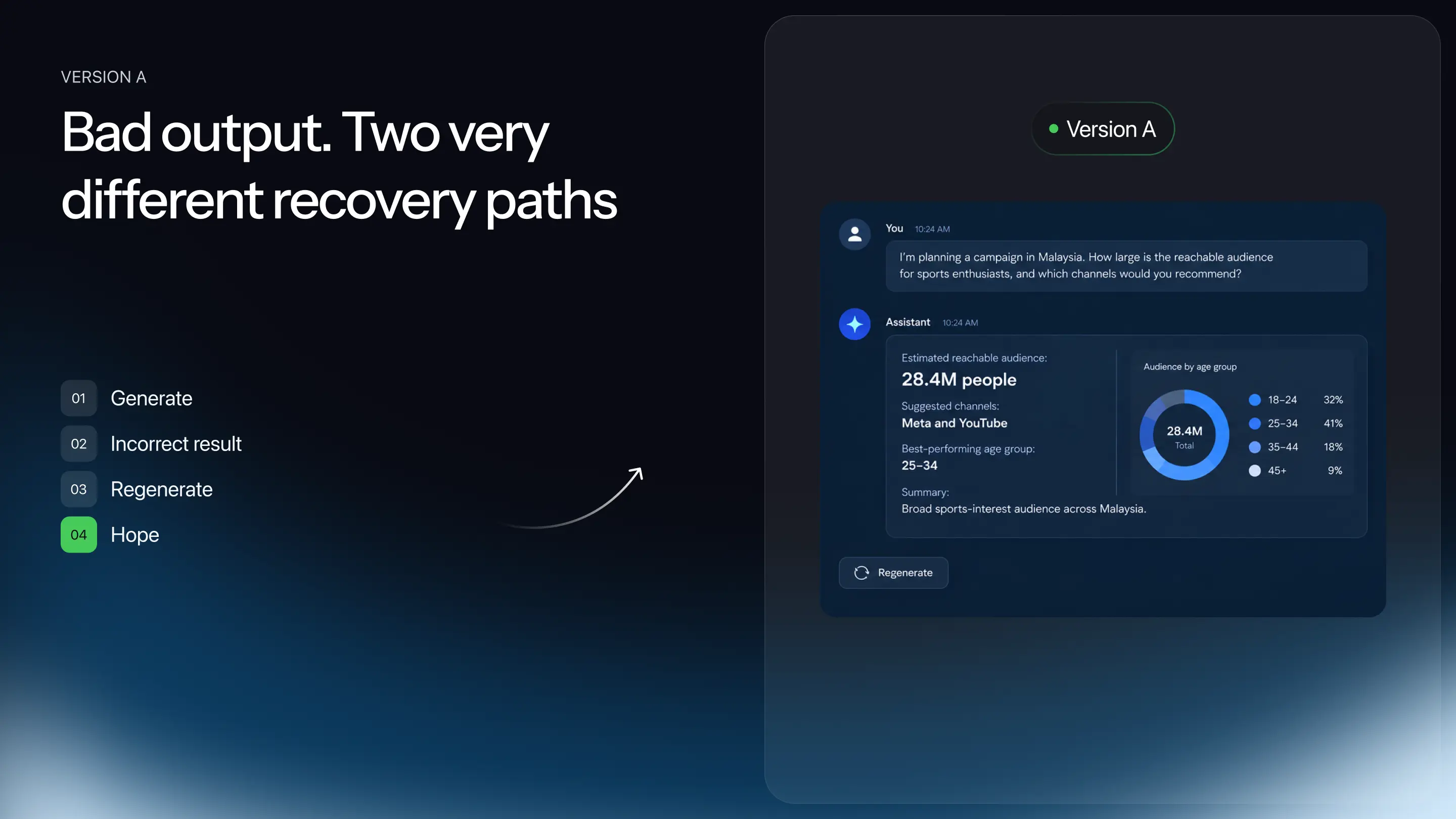
To show what this looks like, we sketched two concept mockups of an audience research tool. They're illustrations, not shipped screens. The question: how many sports enthusiasts could a brand reach in Malaysia? Back comes 28 million, with a tidy list of platforms. Looks fine at a glance. Think for a second, though, and that number would mean most of the country is into sports.
Version A offers one way out, a regenerate button. There's no hint of where 28 million came from and no way to tweak the question. The user can regenerate and hope, or open a new chat and type everything again.
Version B returns the same bad number from the same model. But it lists sources and admits its assumption: anyone in Malaysia with any interest in sports was counted. The user edits the request to people who actively follow football or fitness and runs it again. They don't even need to be sure something's wrong. Sometimes they just don't like the answer, and Version B lets them act on that.
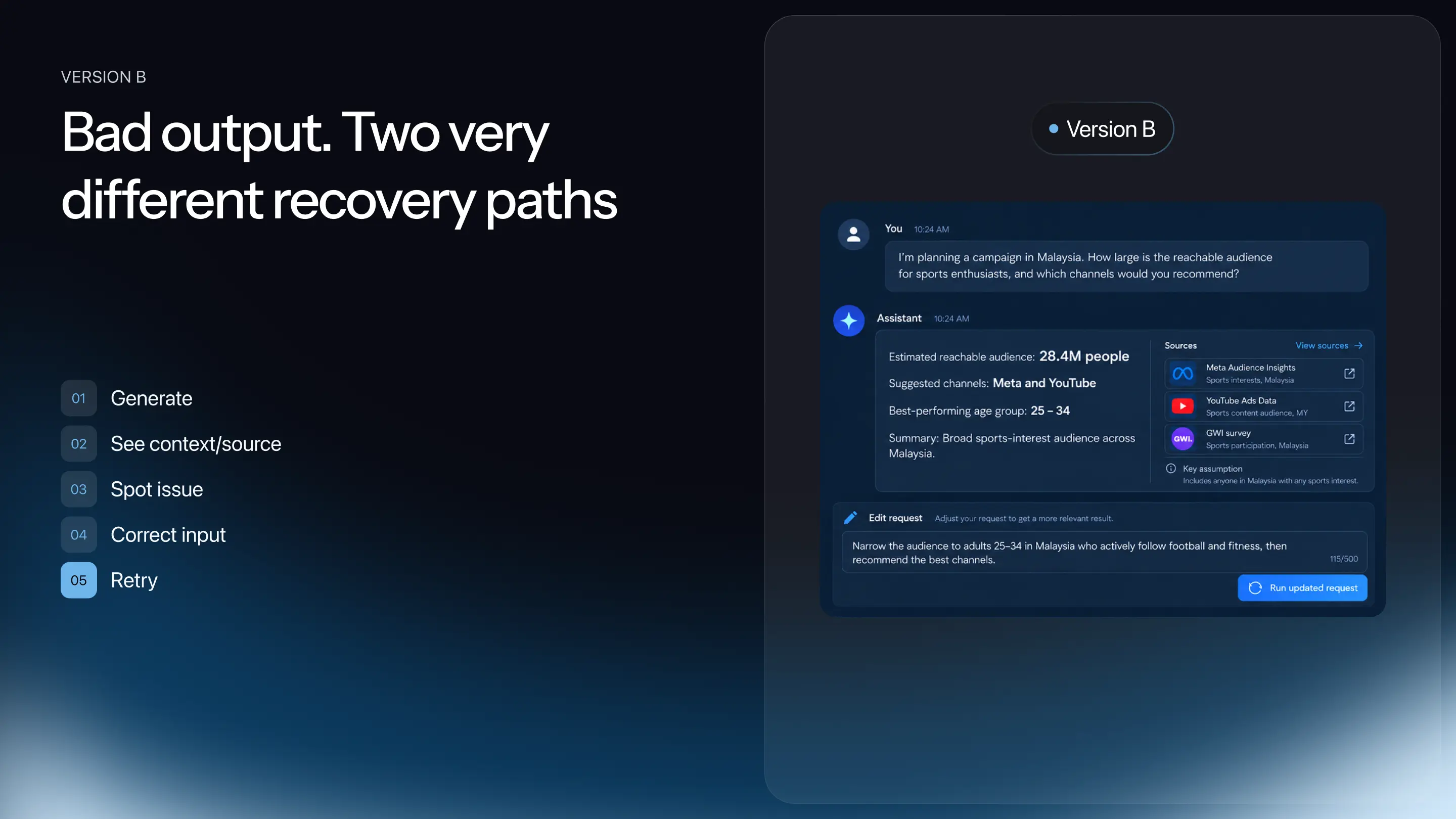
Both versions have the same question, the same model and the same wrong number. Only the exit differs. "We're not validating the AI model," Sophiya says. "We're validating the AI UX." Testing recovery validates the AI UX, not the model, so ask whether a user can still reach a good result when the AI is wrong.
Risk 5 — Readiness: How Do You Know the AI MVP Is Ready?
Readiness validation defines success in numbers and checks whether the AI workflow beats the current one. Measure the task, not the model.
Go back to the support team from earlier. Before the AI draft button ships, we'd want to know how long an agent spends on a typical reply today and how many replies go out without a supervisor fixing them. Those two numbers are the baseline. Without them, every later claim that "AI made it faster" is a guess.
There's a second baseline people forget. Your users don't only have the manual way; they have ChatGPT, Claude or Gemini open in another tab. If an agent can paste a ticket into a general chatbot and get a decent reply, your narrow product has to do noticeably better at that exact job. With the AI in place, we then follow task success rate, time to acceptable result, number of iterations, fallback to manual work, error catch rate and the amount of editing. Those usability metrics tell you far more than any model benchmark. On Element X, for example, the numbers we reported from beta were task success rate, minutes from prompt to launch, the share of outputs needing manual edits and return usage, not model accuracy.
Time to Acceptable Result
Time to acceptable result is the time from a user's first input to an output they actually use. Think of it as time on task for generative tools, and as a much better proxy for time to value than how fast the model answers. A reply drafted in two seconds that the agent then rewrites for ten minutes didn't save anyone time. We've watched designers lose an afternoon to a generated layout they could have drawn in an hour, and between the first prompt and the version that ships there can be dozens of attempts.
So we only mark a task complete when the person ends up with something they'd send to a customer as is. The model producing something proves it runs. Whether the product works is a separate question. Or, as Dariia puts it: "Generated doesn't mean useful."
The Acceptance Rate Trap
The acceptance rate trap is when a high share of accepted outputs hides that users aren't catching errors. Picture a dashboard showing 90% of AI drafts accepted. Great news, until a review finds agents spotted only 20% of the mistakes in them. That 90% was mostly blind trust.
With image generation, a missed error is annoying. With financial reports or anything medical, a single bad output can cause real harm. So acceptance never goes on our reports by itself. It sits beside error detection, how much people edit, and whether the job was actually finished. Regenerations, edits and failures get designed as normal paths too, because with AI they're part of every day. An AI workflow is ready when it beats the baseline on time to acceptable result and users catch its errors.
How to Validate an AI MVP: Pre-Build Checklist
- Is there a real problem, and does AI solve it better than the current way?
- Can AI do the job reliably across 20–50 real cases and repeated runs?
- Does it have the context it needs, including for brand-new users?
- Can users notice and recover when it gets something wrong?
- Does the AI workflow improve the task compared to what exists today?
Nobody gets perfect certainty here, and nobody needs it. What you want is enough evidence to know where the biggest risks sit before the serious money goes in. That's all product validation is, and asking these five questions early can spare a team weeks or months of building the wrong thing. For the engineering side, see our guide on how to build an AI product.
FAQ
What if AI works, but fixing its mistakes takes longer than doing the task manually?
Then the honest answer is that it doesn't work yet, at least not as the main feature. The arithmetic can look like this: 20 seconds to generate, 10 minutes to check and patch, against a minute or two by hand. Hand-made wins. Keep the idea alive anyway. Shrink its job to something with less at stake, like a rough first draft the person polishes, and measure again.
How do you validate AI when you don't have enough user data yet?
You design for that moment on purpose, because every single new user lives in it. In our tests we mock up the product three ways: almost nothing known about the person, some history, lots of history. Then we argue about what the AI is allowed to say in each. Sometimes it's general advice, sometimes specific, sometimes "tell me a bit more first." None of that counts as the model failing.
Fake door or Wizard of Oz: which should you run first for an AI MVP?
Usually the fake door, because it’s the cheaper of the two and it answers the first question, whether anyone wants this at all. You put up a button or a landing page for something that doesn’t exist and count who knocks. Strong signal? Then run Wizard of Oz. The feature looks live while a teammate quietly writes every answer, so you see who uses it, who rewrites it and who’s back a week later. Neither one needs a trained model.
How many users do you need for AI usability testing?
Fewer than most teams expect. Nielsen Norman Group has long put it at about five people per round, which usually uncovers most usability problems. We'd rather do three small rounds than one big one. With AI there's an extra step. Since one request can come back differently each time, we give every person a wider spread of tasks, and at least one of them is rigged to go wrong.
Conclusion
To validate an AI MVP, check value, capability, context, recovery and readiness one by one, mostly before a real model exists. That's what AI product validation looks like when it's done before the build, not after launch. All five come back to one question we'd ask in every design review: can people actually succeed with this? Keeping that question on the table is what human-centered AI means in practice. Models keep improving every quarter. Human-AI interaction is still what decides whether anyone sticks around.
Planning an AI feature or product? Linkup ST can help you find the biggest risk before the full build through AI usability testing.
About the Experts
- Sophiya Korynets is a Lead Product Designer at Linkup ST. She designs web and mobile products and has worked on projects including Element X, Slattery Auctions and SkinSpotter. Her work has earned two Red Dot Design Awards and three A’ Design Awards.
- Dariia Ebadian is a Lead UI/UX Designer at Linkup ST. She works across digital products, from early concept validation to full product design and launch, including AQOIR, TripPal, Toto and SkinSpotter. Her work has earned five Red Dot Design Awards and six A’ Design Awards.
.avif)